What Is Qwen Chat? A Plain-English Guide to Alibaba’s Qwen AI
Qwen is the family of large language models built by Alibaba Cloud, and Qwen Chat, at chat.qwen.ai, is the official free web and mobile app where you pick a Qwen model and start chatting.
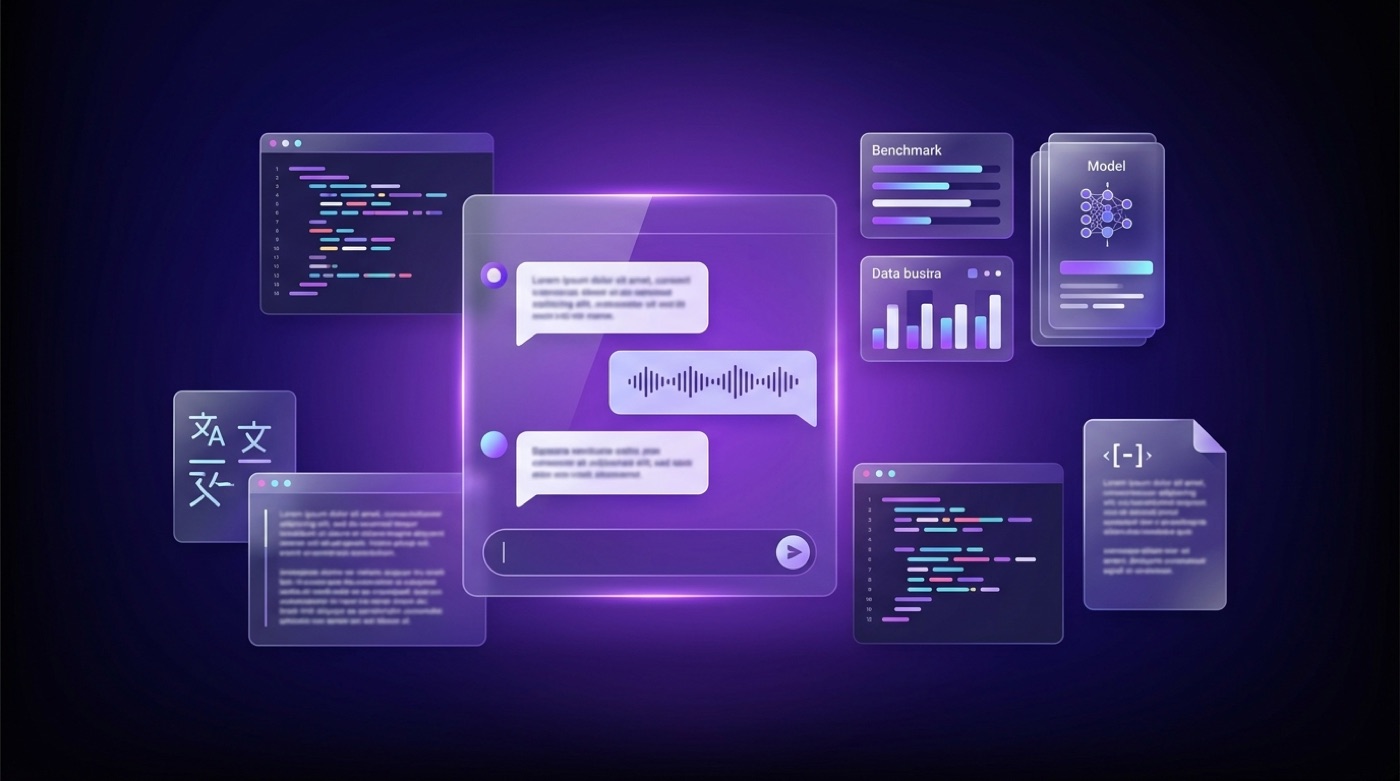
This is an unofficial resource, not affiliated with Alibaba or the Qwen team; the official chat is at chat.qwen.ai. Below, you’ll learn how the model family relates to the app, what each model line is good at, and how to get started.
Qwen vs Qwen Chat: the model family and the app
Qwen and Qwen Chat name two different things, and mixing them up is the most common source of confusion for newcomers researching Alibaba’s AI push.
Qwen = the models
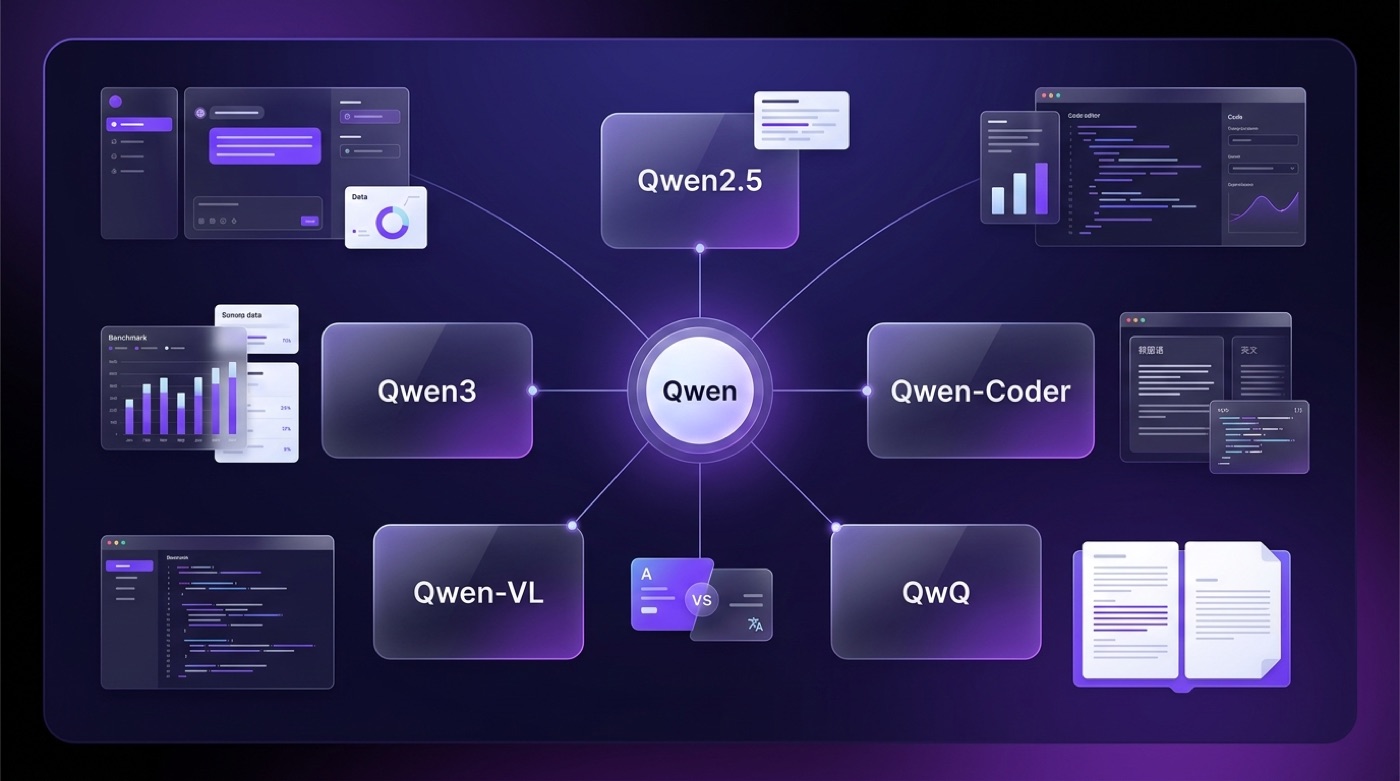
“Qwen” — the Chinese name is Tongyi Qianwen (通义千问) — is Alibaba Cloud’s family of large language models and multimodal models, according to Wikipedia’s entry on Qwen and the QwenLM GitHub organization. It is a family of models released over time, not a single product, and it spans general-purpose language models, coding specialists, vision-language models, and reasoning-focused variants.
Qwen Chat = the interface
Qwen Chat (chat.qwen.ai) is the official chat app where you select a model from the family and talk to it with no local setup — it’s the front door to the models rather than a model itself. Because the naming overlaps so closely, third-party pages (including this one) sometimes get compared or confused with the official product; this site is an independent, unofficial guide.
Is Qwen Chat free, and how do you start?
Getting into Qwen Chat takes a few minutes, and the flow is straightforward enough that no technical background is required.
Getting started in a few steps
- Go to chat.qwen.ai in a browser, or open the mobile app.
- Sign in to create or access your account.
- Pick a model from the model picker at the top of the chat window.
- Type a prompt — you can also drop in a document or image, or enable web search for a given query.
- Switch models mid-session depending on the task (for example, a coding model for code, a vision-capable model for images).
Qwen Chat itself is free to use at the official address. Any usage limits or free-token quotas are set by Alibaba Cloud and can change, so treat specific numbers as something to check on Alibaba Cloud’s own documentation rather than a fixed fact.
What you can do in one conversation
- General chat and question answering
- Document Q&A — upload a file and ask about its contents
- Image understanding, via the vision-language (VL) models
- Code help, via the Coder-line models
- Web search, when enabled for a query
- Image generation
- Tool use for more agentic, multi-step tasks
Exact feature availability can vary by account, region, and product update, so the official app is the source of truth for what’s currently on.
The Qwen model family (only really-released models)
The Qwen family is a lineup rather than one model, and each line is aimed at a different job. The table below sticks to models that the Qwen team has actually announced and released.
Overview table
| Model | Focus | Notable trait | License / availability |
|---|---|---|---|
| Qwen2.5 | General-purpose foundation models | Released as a range of sizes from 0.5B to 72B parameters, per the Qwen2.5 announcement | Mostly Apache 2.0; a few sizes under a separate Qwen license |
| Qwen3 | Next-generation general models | Switchable thinking / non-thinking modes and broad multilingual reach, per the Qwen team | Open-weight, per official model cards on Hugging Face |
| Qwen2.5-Coder | Code generation and understanding | Tuned specifically for programming tasks | Apache 2.0 for most sizes |
| Qwen2.5-VL / Qwen-VL | Vision-language (image + text) | Understands and reasons about images alongside text | Open-weight, sizes vary by release |
| QwQ | Step-by-step reasoning | QwQ-32B-Preview, released November 2024, focused on deliberate problem-solving | Apache 2.0 |
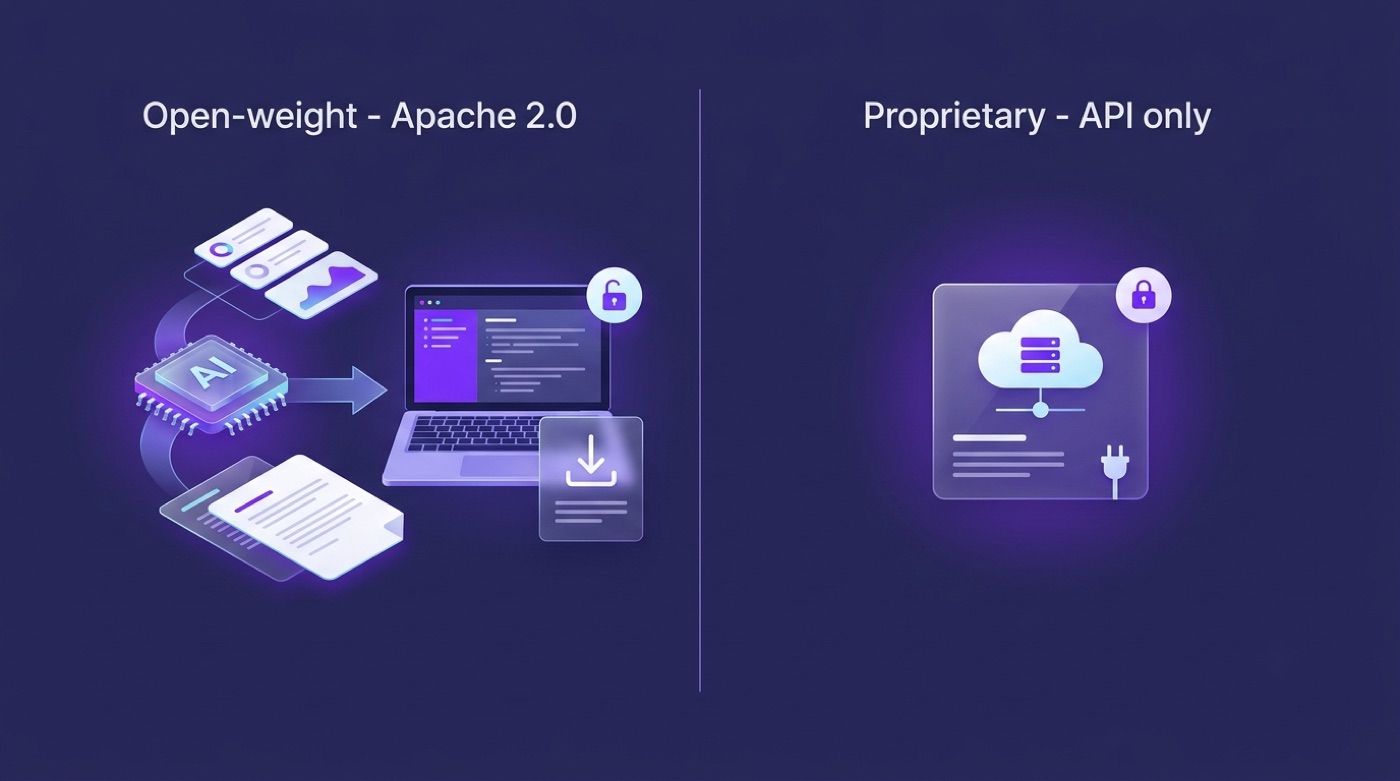
| Qwen2.5-Max | Proprietary flagship | Alibaba’s top-tier model, accessed via API rather than downloaded weights, per Alibaba’s own announcement | Proprietary, API-only |
Qwen2.5 — the general-purpose foundation
According to the Qwen team’s Qwen2.5 blog post, the Qwen2.5 line ships as a range of open models from 0.5B up to 72B parameters. Most of these support a 128K-token (131,072) context window and up to roughly 8K tokens of output, and most are released under the Apache 2.0 license — though a couple of sizes, including 3B and 72B, use a separate Qwen Research License or Qwen License instead. For the exact terms on any given checkpoint, the individual model card is the reliable reference.
Qwen3 — thinking and non-thinking modes
Qwen3 lets you switch between a thinking mode, meant for reasoning, math, and code, and a non-thinking mode, meant for fast conversational replies — and within a chat you can steer this behavior with commands like /think and /no_think, per the Qwen team’s own documentation. The Qwen team has also reported broad multilingual coverage for Qwen3, on the order of about 119 languages and dialects. As with any self-reported figure, it’s worth treating as the vendor’s own claim rather than an independently audited number.
Specialists: Coder, VL, and QwQ
- Qwen2.5-Coder is tuned for code generation and understanding; the 7B variant supports extended context up to 128K using YaRN scaling, and it’s released under Apache 2.0.
- Qwen2.5-VL (also referred to as Qwen-VL) is the vision-language line, launched in January 2025 in 3B, 7B, and 72B sizes, with a 32B variant added later that year, per Wikipedia’s Qwen entry — it reads and reasons about images alongside text.
- QwQ is the reasoning-focused model; QwQ-32B-Preview came out in November 2024 under Apache 2.0, with roughly a 32K-token context, and is built for working through problems step by step rather than answering instantly.
Open-weight and licensing: what “open” means here
The word “open” gets used loosely around AI models, and Qwen is a good example of why the distinction between open-weight and open-source actually matters.
Open weights, not fully “open source”
Many Qwen models publish their trained weights — meaning anyone can download and run them — which is usually called “open-weight” rather than strictly “open source,” since the training data and full pipeline aren’t published alongside the weights. Weights are distributed on Hugging Face and ModelScope, and most sizes use the Apache 2.0 license, per the Qwen2.5 announcement and Wikipedia. Some models instead carry the Qwen Research License or Qwen License, and some flagship models, such as Qwen2.5-Max, are proprietary and API-only rather than downloadable.
Qwen2.5 is brought to you by the Qwen team, Alibaba Cloud. […] We opensource our models under Apache 2.0 license. — Qwen2.5: A Party of Foundation Models
Where the weights live
- Hugging Face — huggingface.co/Qwen, the main hub for downloading model checkpoints
- ModelScope — Alibaba’s own model-sharing platform
- GitHub — github.com/QwenLM, source code, inference examples, and documentation
License terms differ from model to model, so the safest approach before using any checkpoint commercially is to check that specific model card rather than assuming the whole family shares one license.
Context length and multilingual reach
Context window and language coverage are two of the more concrete, checkable claims in the Qwen lineup — as long as they’re tied to the right model.
How much text Qwen can hold
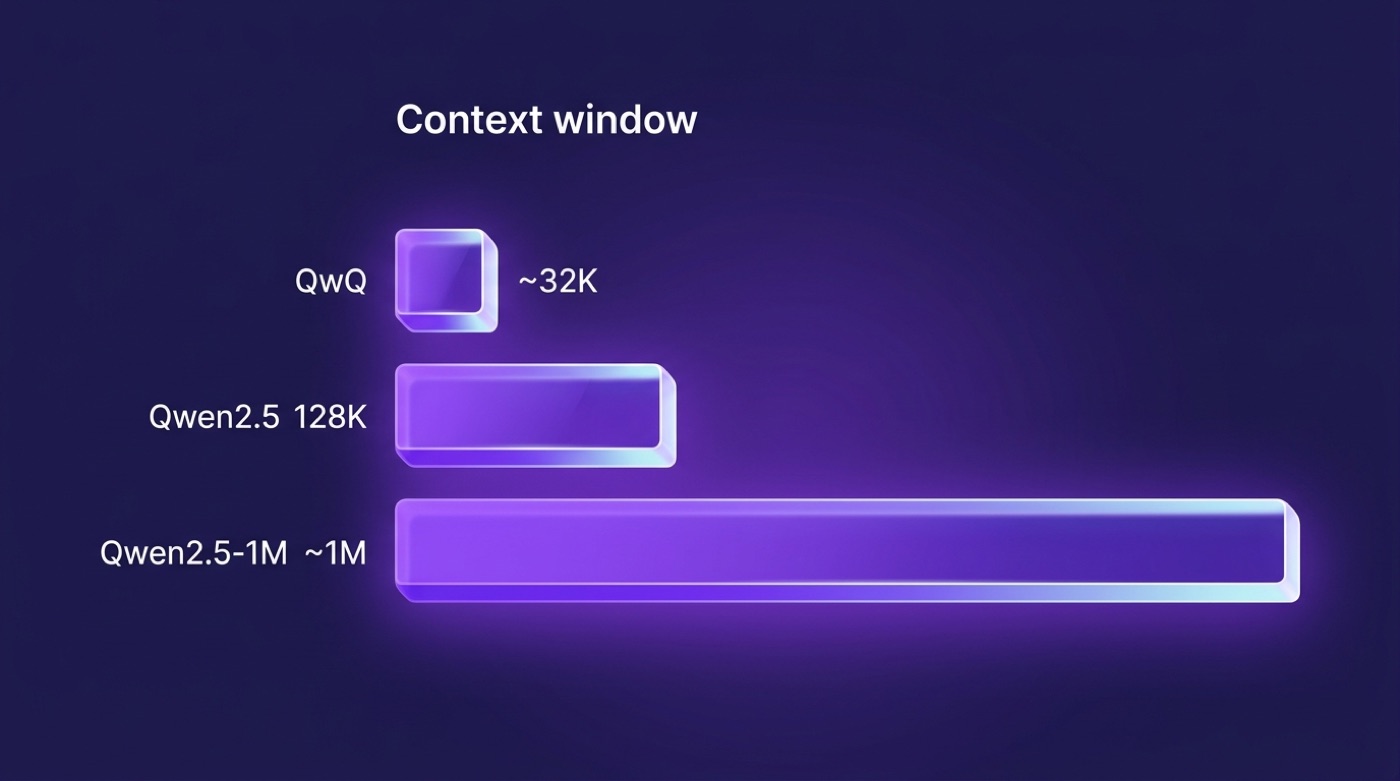
Most Qwen2.5 models handle a 128K-token context window, and the Qwen2.5-1M checkpoints (7B and 14B Instruct-1M variants) extend that to roughly one million tokens, according to the Qwen team’s Qwen2.5-1M announcement. QwQ’s preview release, by contrast, works with a much shorter context of around 32K tokens.
| Model line | Typical context window | Source |
|---|---|---|
| Qwen2.5 (most sizes) | 128K tokens (131,072) | Qwen2.5 blog |
| Qwen2.5-1M (7B / 14B Instruct-1M) | ~1,000,000 tokens | Qwen2.5-1M blog |
| QwQ-32B-Preview | ~32K tokens | Qwen team / model card |
Figures beyond what the Qwen team has published shouldn’t be trusted — the web has picked up a fair amount of invented specifications for this family, so anything not traceable to an official blog post, GitHub repo, or Hugging Face model card is worth treating with suspicion.
Languages and global reach
The Qwen team has reported that Qwen3 supports roughly 119 languages and dialects. That figure comes from the Qwen team’s own materials, not an independent count, so it’s presented here as a reported claim rather than a verified one — and it’s specific to Qwen3, not necessarily every model in the family.
Capabilities at a glance
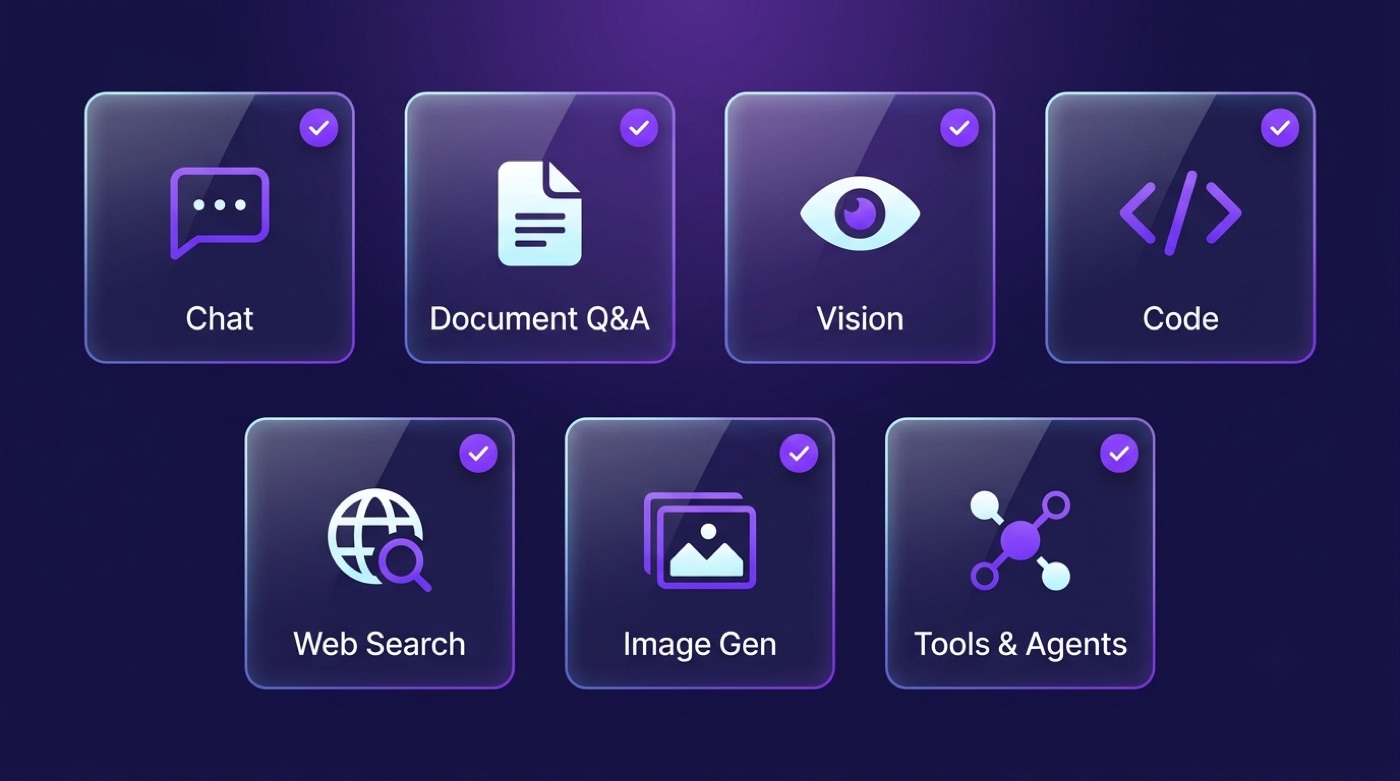
Across the model family, Qwen Chat brings together a broad set of capabilities in one interface:
- Natural, multi-turn conversation
- Document Q&A — ask questions about an uploaded file
- Image and vision understanding, through the VL models
- Code generation and debugging help, through the Coder models
- Tool use and agentic workflows, including reported support for the Model Context Protocol (MCP)
- Web search integration for up-to-date answers
- Image generation
Which of these are active for you at any moment depends on the model you’ve selected and the current state of the official product, so it’s worth checking the model picker in the app itself rather than assuming every feature is always on.
Where to use Qwen (availability)
Qwen models and Qwen Chat show up in a few different places, depending on whether you want a ready-made app, an API, or the raw weights:
- Qwen Chat at chat.qwen.ai — the official free web and mobile app, no setup required.
- API access via Alibaba Cloud Model Studio / DashScope, for developers building on top of the models.
- Open weights, downloaded from Hugging Face or ModelScope and run locally with tools like Ollama or vLLM.
- Third-party routers, such as OpenRouter, which offer some Qwen models alongside other providers.
Again, this site is an unofficial guide — for the real thing, go straight to chat.qwen.ai.
Explore the Qwen Guide
Dive deeper into our fact-checked Qwen reference:
- Qwen Chat features — capabilities across coding, multilingual chat and agentic tasks
- Qwen API — access via Alibaba Cloud Model Studio and self-hosting
- Qwen Chat pricing — free web chat, pay-as-you-go API and open-weight self-hosting
- How to use Qwen Chat — step-by-step getting started
- Qwen models — the full family: Qwen2.5, Qwen3, Coder, VL and QwQ
- Qwen3 — the Qwen3 line and hybrid thinking
- Qwen Coder — Qwen2.5-Coder and Qwen3-Coder for programming
- Qwen Chat benchmarks — how to read model performance
- Qwen vs ChatGPT · vs Claude · vs DeepSeek
Frequently Asked Questions
- What is Qwen Chat?
Qwen Chat is the chat interface for Alibaba’s Qwen family of large language models (also known as Tongyi Qianwen). It handles coding, multilingual conversation and translation, long-document understanding, writing, reasoning and agentic tasks. On this site you can chat with a Qwen-style assistant for free.
- Is this the official Qwen from Alibaba?
No. qwenchat.pro is an independent, unofficial site that lets you chat with a Qwen-style assistant for free and provides reference guides about the Qwen models. It is not affiliated with, endorsed by, or operated by Alibaba or the Qwen team. For the official product, visit chat.qwen.ai.
- Is the Qwen chat free?
Yes — you can start chatting instantly, with no login and no download. Basic messages are free and available 24/7. Extended usage is available via an optional subscription shown in the chat interface.
- Do I need an account to use it?
No account or sign-up is required to start. Just open the chat on this page and type your question.
- What is Qwen good at?
The Qwen line is known for strong multilingual coverage, coding, long context and open-weight availability. It handles analyzing long documents, writing and debugging code, translation across many languages, multi-step automation, research and reasoning. See the features and use-case pages for details.
- How does Qwen compare to ChatGPT, Claude and DeepSeek?
Each model differs in openness, pricing model, context length, multilingual strength and coding. Qwen is notable for releasing many open-weight models under permissive licenses, while the current proprietary flagships — OpenAI’s GPT-5.6 Sol (behind ChatGPT) and Anthropic’s Claude Fable 5 — stay hosted-only. We keep fact-checked, qualitative comparison pages for Qwen versus ChatGPT, Claude and DeepSeek — see the comparison guides linked below.